Displaying 121 – 140 of 144
This list includes every page or product with this tag from UUA.org, UU World magazine, or inSpirit books & gifts.
Changing a filter will refresh results (and remaining options) immediately. Searching by keyword requires use of the "Search" button.
-
 Make your link text meaningful. Linked text draws the eye, but generic text like "Click Here" gives no helpful information: the reader has to spend additional time reading the text before and after every link in order to find what they're looking for.Utility | January 27, 2014 | From LeaderLabTagged as: Disability & Accessibility, WebsitesPage/Article
 -
Make your link text brief. Linked text draws the eye (and underlined text on the web indicates the presence of a link).Utility | January 27, 2014Tagged as: WebsitesPage/Article
-
 Make it easier for people to find what they need, no matter their ability. With usability tests, catch and fix 80% of the most glaring problems with only five testers. It’s amazingly powerful to watch people try to use your site.Utility | January 27, 2014 | From LeaderLabTagged as: Communication, WebsitesPage/Article
 -
 "Usability" refers to the ease with which people can use a website in order to achieve their goal. Principles of usability help people of all abilities, using any web browser, to make the most of the content provided.Utility | January 27, 2014 | From LeaderLabTagged as: Communication, WebsitesPage/Article
 -
 Try to copy the text of your PDF file and paste it into a Word document. If it looks just like you see it in your PDF file, the document is accessible.January 27, 2014 | From LeaderLabTagged as: WebsitesPage/Article
 -
Which is correct: email or e-mail? How do you abbreviate Unitarian Universalist? If you're creating web pages, you'll probably run into questions like these. Editorial guides provide a set of standards to use when you're not sure how a word, term, or name should be spelled,...Utility | November 26, 2013Tagged as: WebsitesPage/Article
-
 Usability Tip Choose images that enhance your story: engage your reader with faces or meaningful imagery. Use the text of your article to list participants and describe activities.Utility | March 19, 2013 | From LeaderLabTagged as: Disability & Accessibility, WebsitesPage/Article
 -
 Well-organized website content improves usability and search engine optimization, which reduces user frustration and fosters feelings of goodwill among your site's visitors.Utility | February 26, 2013 | From LeaderLabTagged as: Communication, WebsitesPage/Article
 -
 Search Engine Optimization (SEO) is about making sure your pages are well-formed: for the search engines like Googleemploying devious techniques will hurt you in the long run. Review "10 Google Dont's" for some sure-fired ways to hurt your search ranking....Utility | December 6, 2012 | From LeaderLabTagged as: Communication, WebsitesPage/Article
 -
 Web links catch the eye (or ear) and tell a user a lot about the nature of your content; be sure to maximize their potential and avoid user confusion by following these tips.Utility | December 6, 2012 | From LeaderLabTagged as: Communication, WebsitesPage/Article
 -
 This video discusses the various policies and procedures congregations need to consider when creating and managing a website.Video | By Beth Casebolt | November 4, 2012 | From LeaderLabTagged as: Bylaws & Policies, WebsitesPage/Article
 -
 The wealth of data that Google collects can help you design your site so that visitors can find the information they need and that you want to share.September 12, 2012 | From LeaderLabTagged as: WebsitesPage/Article
 -
An Official Publication Requires Standards UUA.org is an official publication of the Unitarian Universalist Association of Congregations (UUA). We use a consistent look and adhere to high-quality content, style and usability standards. The website is the primary means by which seekers learn about...Utility | August 9, 2012Tagged as: WebsitesPage/Article
-
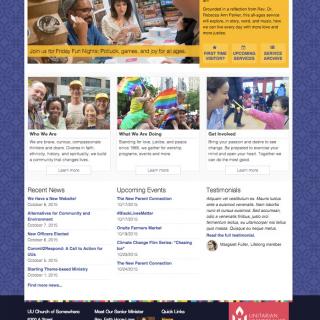 The meta description is a short phrase that summarizes the topic of the page. Meta descriptions go in the <head> of a page.Utility | March 23, 2012Tagged as: Communication, WebsitesPage/Article
 -
 Each page on your site should have exactly one title, and it should go in TITLE field. The first 11 characters of each title ought to give a hint about the page content, so that when people scan past it among a lot of other titles, its topic is immediately obvious.Utility | March 23, 2012 | From LeaderLabTagged as: Communication, WebsitesPage/Article
 -
Link to Your Own Pages Your first step for search engine optimization (SEO) is to link to every page! Users and search engines alike will not be able to find your pages if you don't link to them.Utility | March 23, 2012Tagged as: Communication, WebsitesPage/Article
-
If you can make your site with a logical and meaningful URL (web address) structure, all the better for search engine optimization (SEO). A site's URL structure should be as simple as possible.Utility | March 22, 2012Tagged as: Communication, WebsitesPage/Article
-
 Separating your content into shorter pages will allow you to improve the accuracy of your page titles and the relevancy of your page among other search results.Utility | March 20, 2012 | From LeaderLabTagged as: WebsitesPage/Article
 -
The meta "keywords" tag is largely ignored these days (as it was so hideously abused by people trying to capture search results for which they weren't really relevant), but peppering your title, headers, and text with a variety of relevant words and phrases is a good idea....Utility | March 20, 2012Tagged as: Communication, WebsitesPage/Article
-
 When writing for the web, be concise. Write tersely. Cut your content by half and then by half again. Avoid stating the obvious. Forget the long introductions.March 14, 2012 | From LeaderLabTagged as: Communication, WebsitesPage/Article