Part of The Congregational Handbook
In today’s world, there are many ways to keep and store records digitally. The most important thing about digital records is to make sure there you have redundant back-up systems using current technologies (such as portable hard drives).
Church computers should have limited access and be password-protected.
Here are some general guidelines:
Current Records
| Item | Hard Copy | Church Computer | Website | Password Protected? |
|---|---|---|---|---|
| Membership Roster | yes | yes | opt. | yes |
| Member & Friends Directory (with photos) | yes | yes | yes | yes |
| Current Bylaws | yes | yes | yes | no |
| Current Policies | yes | yes | yes | no |
| Staff Contact Information | yes | yes | yes | no |
| Board Member Contact Information | yes | yes | yes | opt. |
| Committee Chair / Team Leader Info | yes | yes | yes | opt. |
| Board minutes (past 24 months) | yes | yes | yes | yes |
| Newsletters (past 24 months) | yes | yes | yes | no |
| Pledge and Giving Records | opt. | yes | no | n/a |
| Financial Reports | yes | yes | yes | yes |

Church Office Basics
An efficient office requires creative management and close adherence to deadlines. It also requires close cooperation between staffs and volunteers.

Keeping Meeting Minutes: Don’t Get lost in the Details!Don’t Get lost in the Details!
The meeting minutes from board meetings and congregational meetings create the official, legal record of the actions of the board or congregation. For the congregation, they are important as an accurate historical record.

Annual Reports
Annual reports, often published in conjunction with a congregation’s annual meeting, provide an opportunity to report on the annual goals that are serving the mission and vision of the congregation
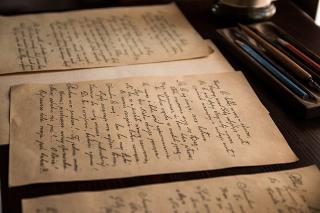
Archiving Church Records: What Items to Keep and How to Catalogue Them
Church members generally agree that saving church records is a good thing – but the reality of doing that raises a number of questions. Which items should be saved, and by extension, is it okay to throw some items out?
Archiving Church Records: What Items to Keep and How to Catalogue Them

Writing the History of Your Congregation
A shared history is a powerful bond and an awareness of history can foster a sense of pride and a feeling of connectedness. The telling of this history, whether in oral or written form, is one of the most important ways that newer members of a family are welcomed into the group. …